LATEST UPDATES
Best Incogniton Alternatives in 2023

Best Incogniton Alternatives in 2023

Until to April 2022, 63.1% of the world’s population is using the Internet. Due to various factors such as information leakage and platform detection, people pay more and more attention to their privacy protection. However, everyone might be aware that the means and strength of platform detection are constantly improving. Is there any better way to protect our privacy? The best you can do to protect your privacy is to use an anti-detect browser that lessens tracking, promotes privacy, and improve work efficiency. When we mention the anti-browser, the first brand comes into people’s brain may be the Incogniton. Definitively, Incogniton has powerful functions and good market promotion. But in this blog, I will introduce to you the best Incogniton alternatives which has perfect fingerprint mask technologies and super high cost performance. What is ixBrowser? ixBrowser is a software that allows users to access and manage multiple accounts in one session through virtual browser profiles. ixBrowser stores all cookies and browser history in the cloud, so no matter where you are, you can easily manage your account with only one computer. At the same time, ixBrowser provides a number of fingerprint configurations for modification. You can modify them by yourself, or use the default random fingerprint configuration to easily login to your platform account. Due to its powerful fingerprint mask technology, you don’t have to worry about your accounts being detected and banned by platforms. Core Features of ixBrowser Compared with traditional browsers, such as Chrome, ixBrowser provides more extensive functions. Here are some of its core features for your consideration: ·Easily create unlimited profiles; ·Customize multiple fingerprint configurations; ·Support all extensions in Google Webstore; ·Easily assign member permissions to achieve efficient teamwork; ·Simple browser automation using APIs’ Use Cases for ixBrowser ixBrowser has a wide range of applications, here are some of the most popular use cases: ·E-Commerce Easily create multiple accounts on the e-commerce platform to broaden sales categories and reach users without worrying about being blocked by the platform; ·Social media Create multiple independent profiles, form a social media matrix, and strengthen product promotion; ·Affiliate marketing Use different advertising mechanisms, create a large number of accounts, and run different advertising campaigns and marketing programs to increase profits; ·Other use cases ixBrowser is also suitable for the following purposes: traffic arbitrage, online betting, ticket resale, price comparison, brand protection, etc. For more details, please visit:  https://ixbrowser.com/use-case What are the advantages of ixBrowser compared with Incogniton No basic package fee Everyone loves an affordable system that saves time and cost. Although compared to other browsers, such as Multilogin, the basic package fee of Incogniton is not that high, it still costs you $29.99 per month. However, ixBrowser does not charge any basic package fees! Unlimited profiles creation and team member seats Someone might say that Incogniton has free trial, but the free trial package only provides 10 free profiles that cannot meet the needs of many users. No only that, the free trial version doesn’t provide team member seats, users can’t share and work with their colleague. For ixBrowser, users can add and manage unlimited team members, and it is free! Better fingerprint mask performance We used two detection websites, iphey.com and pixelscan.net to test ixBrowser and Incogniton in default condition. The results shows that ixBrowser successfully passed two detection websites, but the performance of Incogniton is not that good. Conclusion There are many anti-detect browsers on the market, but ixBrowser stands out as the best alternative with its perfect fingerprint camouflage ability and super cost-effective features, it will be you best choice.
From WADE X to ixBrowser: Why More Users Are Choosing a Better Anti-Detect Browser

From WADE X to ixBrowser: Why More Users Are Choosing a Better Anti-Detect Browser

In cross-border e-commerce, social media marketing, and traffic arbitrage, managing multiple accounts has become the norm, and browser fingerprinting technology makes it easy for platforms to identify and correlate users' different accounts. Faced with increasingly strict platform risk controls, anti-detect browsers have become essential tools for practitioners. WADE X, as one of the earlier entrants in this space, once won favor with many users thanks to its real device fingerprinting, browser isolation, and mobile emulation features. However, as operational scales grow and cost control becomes increasingly important, more and more users are actively seeking alternatives to WADE X—whether due to budget pressure or functional limitations, the demand for more practical and cost-effective anti-detect browsers is steadily rising. In this comparison article, we will take a closer look at WADE X's shortcomings and introduce how ixBrowser offers a more compelling choice for users. WADE X: Functional Highlights, but Not Without Drawbacks WADE X is an anti-detect browser focused on mobile emulation. It accurately mimics the behavior of Android and iOS browsers, using core technologies such as real device fingerprints, Canvas fingerprint masking, WebGL and WebRTC handling to help users manage multiple accounts and maintain stable sessions. Additionally, WADE X offers features like browser isolation, proxy management, team collaboration, and API automation, making it suitable for traffic arbitrage, affiliate marketing, cross-border e-commerce, and more. However, in practice, WADE X's disadvantages are quite evident, mainly in the following aspects: High cost of use: WADE X's monthly fee starts at around $30 per month, and has a limited number of profiles (e.g.,the $30 per month Mini plan includes only 30 profiles). For users needing large-scale operations, this profile-based pricing can quickly drive up costs as business expands. Limited free trial and feature restrictions: WADE X only offers a 7-day full trial (requires a promo code), leaving little room for long-term free use. Individual users or small teams often cannot fully evaluate its suitability without paying. Steep learning curve: Based on user feedback, WADE X's configuration process is relatively complex. For beginners new to anti-detect browsers, setting up fingerprints and integrating proxies can take considerable time to learn and debug. Weak user community and support: WADE X has limited user review channels, and its community ecosystem is underdeveloped. Users often struggle to quickly find solutions when encountering issues. ixBrowser: Bringing Anti-Detect Back to Practicality and Efficiency In stark contrast to WADE X's high barriers and strong paywall strategy, ixBrowser has quickly gained a reputation in the anti-detect browser market with its core positioning of "permanently free" and "unlimited profiles." ixBrowser is an anti-fingerprint browser designed specifically for multi-account management. It uses fingerprint isolation technology and achieves excellent pass rates on third-party detection sites like Pixelscan and Iphey. ixBrowser's key advantage is that it can generate an unlimited number of independent profiles, each with its own unique digital fingerprint (including Canvas, WebGL, timezone, resolution, and more). Profiles are encrypted and stored in the cloud, achieving true isolation between IP and fingerprint. Whether you're a cross-border e-commerce seller, a social media matrix operator, or a traffic arbitrage player, ixBrowser provides a secure and efficient solution for digital identity isolation. Here are the specific advantages of ixBrowser over WADE X: Permanently free and truly unlimited profiles: ixBrowser offers a forever-free plan that allows you to create unlimited browser windows and profiles at no cost, so operational costs no longer grow linearly with the number of accounts. Excellent fingerprint detection pass rates: ixBrowser is deeply optimized for digital fingerprint scenarios, achieving outstanding pass rates on major detection sites such as Pixelscan, Iphey, and Browserscan, ensuring that each account has a secure and isolated fingerprint environment. Flexible and customizable fingerprint parameters: Users can either rely on ixBrowser to automatically generate unique digital fingerprints or manually adjust dozens of parameters, including UserAgent, timezone, language, WebRTC, Canvas, and more, to meet the fine-grained configuration needs of different platforms and businesses. Rich extension and plugin support: ixBrowser not only comes with a variety of built-in plugins but also allows users to add custom plugins via Google Web Store links or by uploading ZIP files. Different plugin combinations can be configured for different profiles. Powerful batch operations and synchronization: Supports batch importing, editing, modifying, and deleting of profiles. The synchronizer feature mirrors mouse and keyboard actions from a master profile to multiple profiles, greatly improving multi-window collaboration efficiency. Seamless proxy integration and API automation: ixBrowser has deep partnerships with several quality proxy providers, supporting HTTP, HTTPS, SOCKS5, and other major proxy protocols. Users can purchase proxies directly within the client or use third-party proxies. Additionally, ixBrowser provides a local API that works with automation frameworks like Selenium and Puppeteer to meet large-scale automation needs. Convenient team collaboration and permission management: Supports unlimited free team members with role-based and granular permission levels (view-only, edit, use), enabling efficient team collaboration while significantly reducing the risk of information leakage across teams. Seamless profile migration: Users can transfer profiles and proxy information to other users via the window transfer feature. Because fingerprints and proxy configurations remain unchanged during the transfer, the usability of migrated accounts is maximized. Intuitive interface and abundant learning resources: ixBrowser has a clean and intuitive interface that even first-time anti-detect browser users can quickly master. The official team provides comprehensive video tutorials, documentation, and API docs to help users systematically learn how to use the product. Conclusion The anti-detect browser market is undergoing a profound shakeout. Users are no longer satisfied with "just working" — they increasingly value cost-effectiveness, ease of use, and long-term sustainability. While WADE X is competitive in certain technical dimensions — such as real device fingerprint generation and mobile emulation — its appeal is declining in the face of high prices, limited free usage, and a steep learning curve. In contrast, ixBrowser, with its "forever-free + unlimited profiles" strategy, truly lowers the barrier to entry and long-term operational costs while maintaining high fingerprint pass rates and comprehensive features. Whether you're an individual practitioner or a large-scale team, choosing ixBrowser means gaining a more reliable and efficient multi-account management experience at a lower cost. When cost, performance, and ease of use must all be balanced, ixBrowser is an undeniable answer in today's market.
Why Multi-Account Operations Fail Long Before Accounts Get Banned

Why Multi-Account Operations Fail Long Before Accounts Get Banned

For years, conversations around multi-account management have usually started with the most visible problem: accounts getting restricted, blocked, or suddenly becoming difficult to manage. Teams often begin analyzing situations only after performance drops, verification requests increase, or workflows that previously seemed stable start producing inconsistent results. At that point, the natural reaction is to search for one clear explanation. Perhaps the browser fingerprint was not accurate enough, the proxy setup changed too often, the account was not warmed properly, or automation became too aggressive. All of these factors can matter, but in many cases they describe the final stage of the problem rather than its beginning. The more complex multi-account operations become, the more obvious it is that accounts rarely fail in isolation. Long before visible restrictions appear, surrounding conditions may already be losing consistency. Sessions become harder to predict, operators gradually adapt workflows in different ways, access patterns shift between regions, and infrastructure that once performed well at a smaller scale starts creating friction as operations expand. By the time the account itself becomes the center of attention, the underlying issue may have been developing quietly for weeks or even months. This shift partly explains why experienced teams increasingly view multi-account management not simply as a question of creating more profiles, but as a question of building systems capable of remaining stable while complexity grows. Accounts remain important, of course, but long-term performance often depends on everything surrounding them: browser setups, proxy quality, workflow discipline, operator consistency, automation logic, and whether the entire operating environment remains predictable over time. Why Problems Usually Start Earlier Than Teams Expect One reason operational instability is difficult to recognize early is that systems rarely fail through one dramatic event. In most cases, the first signals look small enough to ignore. A workflow that previously required almost no maintenance starts demanding occasional manual checks. Sessions behave slightly differently across regions. Verification requests increase, though not enough to create immediate concern. Results still appear acceptable, so teams continue scaling and assume the operation remains healthy. This is where many teams unknowingly create future problems. Imagine a team managing thirty accounts with one operator. Minor differences between browser profiles may have almost no visible impact because the person running them remembers every setup detail. Apply similar workflows to three hundred accounts across multiple operators, and those same inconsistencies often create very different conditions. One person updates browser settings differently, another rotates environments more aggressively, while a third modifies routines slightly while technically following the same process. Individually, none of these decisions appear problematic. Over time, however, they accumulate and begin shaping the environment surrounding every account. Operations continue functioning, but predictability gradually starts disappearing, and predictability is often what separates sustainable long-term systems from setups that spend increasing amounts of time responding to instability instead of focusing on growth. The issue is not that scaling itself creates risk. Scaling becomes difficult when complexity grows faster than infrastructure can support it. A setup designed for twenty accounts rarely behaves exactly the same way at ten times the volume, not because the accounts become weaker, but because surrounding systems become harder to control. This is often the point where teams realize multi-account management depends less on isolated accounts and increasingly on the quality of the operational layer built around them. Why Browser Setups Became Part of Infrastructure Several years ago, anti-detect browsers were discussed primarily as tools for separating sessions and managing digital identities. That role remains important, but the market has matured, and browser setups increasingly function as part of a much larger operational framework. For teams working with many accounts, browsers are no longer simply places where profiles are stored. They gradually become environments where consistency is created, workflows are standardized, and operational differences between teams can either shrink or grow over time. This is where platforms like ixBrowser fit naturally into the broader transformation taking place across multi-account operations. As teams expand, they need systems that can be managed more systematically rather than simply more quickly. Structured browser setups help reduce operational chaos, make workflows easier to repeat, and provide greater control over how accounts are organized across projects, regions, and operators. The value lies not only in creating profiles, but in making entire processes more predictable over longer periods. The difference may not always be visible during the first weeks of operation. Two teams can launch similar numbers of accounts and achieve similar early outcomes. Several months later, however, operational differences often become easier to notice. One team gradually spends more time fixing inconsistencies, rebuilding workflows, and responding to friction, while the other preserves more resources for growth because fewer operational problems accumulate beneath the surface over time. Neither approach necessarily fails outright, but one often becomes significantly harder to sustain as complexity increases. The Questions Mature Teams Begin Asking One of the more interesting changes in multi-account operations is that priorities tend to evolve with experience. Early-stage teams often focus on questions such as how many accounts can be launched, how quickly scaling can happen, or which setups produce faster deployment. More mature operations gradually begin asking different questions altogether. Instead of optimizing only for growth speed, teams start evaluating how stable systems remain after months of continuous use, how much manual work appears as operations expand, whether workflows can scale without repeated rebuilding, and how much operational overhead accumulates beneath apparently successful growth. These questions may sound less exciting than stories about aggressive scaling, but they often determine which operations remain sustainable and which slowly become more expensive to maintain. In practice, the difference between fast growth and stable growth frequently depends on how much attention teams pay to infrastructure before visible problems emerge. How Proxy Infrastructure Fits Into the Same Logic As multi-account workflows become increasingly interconnected, proxy infrastructure also becomes part of the stability equation. Teams managing long-term operations care not only about changing IP addresses, but about whether connection conditions remain predictable, whether IP behavior aligns naturally with account activity, and whether infrastructure continues supporting stable workflows as operations expand. A practical example illustrates this well. A connection strategy performing adequately while managing fifty accounts may create unexpected friction once operations expand across multiple geos, teams, or schedules. Not because the proxies suddenly stop working, but because maintaining consistency becomes significantly more difficult as complexity grows. This is one reason mobile proxy infrastructure continues gaining attention among teams operating across multiple regions. Services such as Proxies.sx are developing this layer as part of a broader infrastructure approach, where proxies are treated less as isolated tools and more as components supporting long-term operational consistency. For new users, Proxies.sx currently offers the promo code WELCOME15, providing 15% off the first order. The important point is not that one solution eliminates every problem. Mature multi-account operations rarely depend on a single product. They depend on how effectively browser infrastructure, proxy environments, automation workflows, and internal processes continue working together as complexity increases. FAQ Why do multi-account operations often become unstable before accounts get banned? Because visible restrictions frequently represent the final stage of a longer process. Instability usually develops earlier, when workflows, browser setups, proxy behavior, and operational routines gradually become less consistent. These changes often remain unnoticed until accumulated friction begins affecting performance in visible ways. Why are browser setups becoming more important for large operations? As operations scale across multiple operators, regions, and workflows, browser environments increasingly influence consistency. Structured setups help reduce operational differences between teams and make long-term processes easier to maintain. Does scaling automatically increase risk? Not necessarily. Scaling itself is rarely the problem. Risk grows when operational complexity expands faster than the infrastructure and processes designed to support it. Why do proxies matter beyond changing IP addresses? For long-term operations, proxies increasingly influence environmental consistency around accounts. Teams often pay attention not only to IP rotation itself, but also to whether connection conditions remain predictable enough to support stable workflows over time. Conclusion Multi-account operations rarely fail because of one obvious mistake. More often, instability develops because numerous small inconsistencies accumulate across different layers until accounts eventually begin showing visible signs of trouble. That is partly why the market is gradually moving away from thinking only about accounts and toward a broader understanding of infrastructure. For teams operating at scale, sustainable growth increasingly depends on predictability. Browser setups, proxy infrastructure, automation workflows, and internal processes need to reinforce one another rather than function as isolated tools. Mature operations are gradually moving toward environments designed around consistency, where less energy is spent responding to instability and more attention remains available for long-term growth. In many cases, the difference between operations that scale successfully and those that struggle is not how quickly they grow, but how stable their underlying systems remain while that growth happens.  
ProxyEmpire — Proxy Infrastructure Built for Scale

ProxyEmpire — Proxy Infrastructure Built for Scale

ProxyEmpire is a premium proxy infrastructure provider focused on high-performance residential, mobile, ISP, datacenter, and unlimited proxy solutions for enterprise-grade automation, scraping, data collection, ad verification, and multi-account operations. The platform currently operates a network of 30M+ ethically sourced IPs across 170+ countries with support for HTTP, HTTPS, SOCKS5, and HTTP/2 protocols. Infrastructure is optimized for low-latency routing, stable sessions, and high concurrency workloads, with average response times around 0.6s and 99.9% uptime. Unlike many proxy providers still competing on raw IP volume, ProxyEmpire focuses heavily on routing quality, session stability, and targeting precision. The network supports advanced geo-targeting by country, region, city, ISP, ASN, carrier, and ZIP code, making it suitable for highly localized scraping and verification environments. The platform supports both rotating and sticky sessions, unlimited concurrent connections, rollover bandwidth, API access, and enterprise-level traffic scaling. This makes ProxyEmpire particularly relevant for teams operating large browser fleets, distributed scraping pipelines, AI data collection systems, and GEO-sensitive automation workflows. One of the more important differentiators is infrastructure flexibility. Users can deploy residential proxies for trust-heavy environments, mobile proxies for carrier-level reputation tasks, ISP proxies for long-lived browser sessions, or datacenter proxies for high-throughput collection systems — all within the same ecosystem and dashboard.   ProxyEmpire Pricing The platform also provides pay-as-you-go billing, enterprise plans, rollover traffic, and low-entry trial access for infrastructure testing and integration validation. Who Should Use ProxyEmpire? ProxyEmpire is designed for technical teams and businesses operating large-scale online infrastructure, including: Web scraping and data extraction companies AI and LLM data collection pipelines Ad verification and media monitoring platforms SEO intelligence teams E-commerce monitoring systems Browser automation and antidetect environments Multi-account management operations Cybersecurity and threat intelligence teams GEO-sensitive QA and testing environments The infrastructure integrates efficiently with modern automation stacks and antidetect browsers such as ……  
Top 10 antidetect browsers for 2026

Top 10 antidetect browsers for 2026

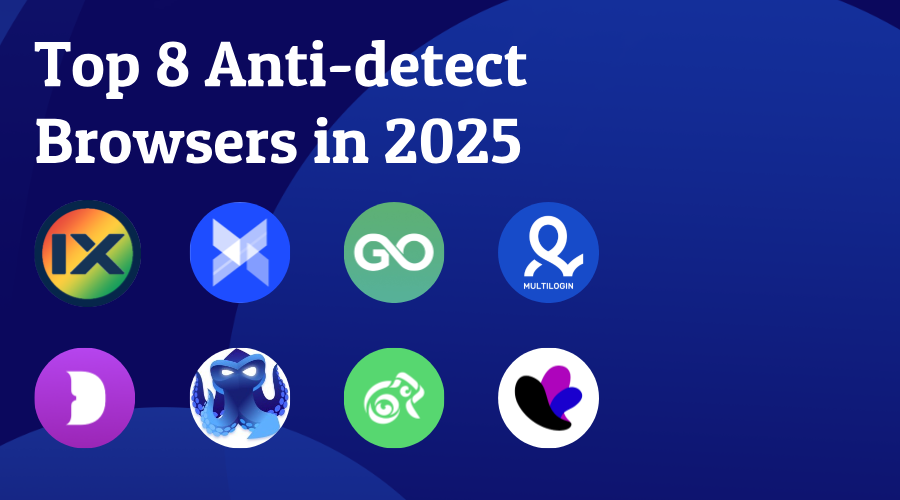
What are antidetect browsers? Fingerprint browsers, also known as anti-detect browsers or multi-account management browsers, are technical tools that modify browser fingerprint parameters (such as User Agent, Canvas, WebGL, fonts, timezone, hardware concurrency, etc.) to simulate different device environments. Their core purpose is to give each browser profile an independent digital fingerprint, making websites recognise different accounts as coming from completely different real users. This effectively avoids account bans caused by IP and device parameter associations in multi-account operations. As cross-border e-commerce, social media marketing, affiliate marketing and other industries have grown rapidly, fingerprint browsers have evolved from standalone simulation tools into comprehensive SaaS platforms that integrate fingerprint spoofing, proxy management, team collaboration and automation. Most mainstream fingerprint browsers are now built on real browser engines such as Chromium and Firefox. They deeply spoof fingerprint parameters to achieve environment isolation, and can work with HTTP/SOCKS5 proxies to bind each environment to an independent IP address, further raising the level of security against association. Below is detailed comparison information for 10 popular fingerprint browsers. How to choose the right antidetect browser for you? If you've started looking into antidetect browsers, you'll quickly realize they're not hard to find. In fact, there are at least ten options out there-quite a variety! Since many of them differ in price and features, it's a good idea to answer a few key questions before making a choice: What’s my budget? Quality comes at a cost, so the best antidetect browsers tend to be expensive. That said, some providers like GoLogin offer more profiles for less money. How many profiles do I need? Some antidetect browsers provide free tiers that let you create up to 10 profiles. Beyond that, the number of profiles is one of the main price drivers. Will I be the only user? If you're working at a marketing agency, you'll likely need to collaborate with colleagues. In that case, look for features like browser profile sync and cloud storage—they'll make teamwork much smoother. Do I want to automate browsing tasks? If yes, consider an antidetect browser that supports API integration with headless libraries. The industry standard remains Selenium, but you'll also find support for Puppeteer and Playwright. Some browsers may even allow you to record actions or use pre-built automation commands based on natural-language LLM prompts. Top 10 antidetect browsers for 2026 ixBrowser ixBrowser is an antidetect browser that claims to be “permanently free”. The official promise is to provide unlimited browser windows and unlimited team member seats for free. Users can create 10 new profiles per day, and open profiles up to 100 times per day – which covers the daily needs of most users. ixBrowser supports all Chrome Web Store extensions and allows users to upload custom plugins to extend functionality. Core advantages: 1.Permanent free is its most outstanding selling point – free version already offers unlimited total profiles and seamless team collaboration. 2.High fingerprint pass rate, passing third‑party tests like Pixelscan. 3.Built-in fingerprint and IP double isolation. 4.Extremely low paid professional plan ($3.99/month) – excellent value. Multilogin Multilogin is a veteran benchmark in the anti‑detect browser field, founded in 2015, and has played a key role in defining industry security standards. It supports dual browser engines, built-in advanced fingerprint control and premium proxy resources, tailored for enterprise-level users and teams managing large numbers of accounts. At the end of 2025, Multilogin underwent a major upgrade, evolving from a traditional anti-detect browser into a comprehensive account management platform integrating mobile cloud phones, browser profiles and automation features, introducing “Mobile profiles” and “Browser profiles” dual modes. Core advantages: 1.Recognised as having the highest security standards; the top choice for cross‑border e-commerce and other highly security-sensitive industries. 2.Most complete API documentation and enterprise-grade features. 3.Built-in residential proxy resources covering 5+ million IPs across 195+ countries. 4.Supports sticky IP sessions up to 24 hours. 5.Supports HTTP(S), SOCKS5 and other proxy protocols. 6.Rated by oxylabs.io as the “Best Antidetect Browser for Large-Scale Multi-Account Management in 2026”. AdsPower AdsPower is one of the most influential fingerprint browsers in the Chinese cross-border e-commerce space, with 9+ million users across 235+ countries and regions. It offers a dual-engine solution: SunBrowser based on Chromium and FlowerBrowser based on Firefox, allowing users to freely choose on the same platform to adapt to different platforms’ detection algorithms. Supports creation of over 20 customisable fingerprint parameters, with complete isolation of IP and fingerprint data between profiles. AdsPower integrates powerful RPA robots, window synchronisation and API features, plus a template store to improve efficiency in bulk multi-account automation. Core advantages: 1.High cost-performance ratio, with a permanent free version and flexible pricing starting low. 2.Chrome and Firefox dual-engine anti-detection support. 3.Mature RPA robot template store and window synchronisation. 4.Strong data security (login warnings, abnormal interception, two-factor authentication). GoLogin GoLogin is an anti-detect browser focused on cost-effectiveness. It automatically configures 53 fingerprint parameters including device, software, geolocation details to ensure each account appears unique to websites. Positioned as an economical alternative for individual users and small to medium teams, with annual plans often at 50% discount. Core advantages: 1.Affordable pricing, up to 50% discount on annual plans. 2.Built-in free proxy (for paid users). 3.Residential and mobile proxies in 100+ countries, no additional configuration needed. 4.Full Selenium, Puppeteer, Playwright automation integration. 5.API request rate up to 1200 per minute. 6.Android mobile app. Kameleo Kameleo is a fingerprint simulation software deeply oriented toward developers and technical users, known for its multi-engine support, high fingerprint customisation and mobile simulation capabilities. It supports fingerprint simulation based on real browser engines (Chromium/Edge/Firefox), and developers can seamlessly integrate Kameleo into Playwright, Puppeteer or Selenium automation frameworks via SDK. Kameleo is ideal for teams needing anti-scraping, headless browser automation and fine-grained fingerprint control. Core advantages: 1.Industry-leading deep fingerprint customisation. 2.Exclusive support for mobile and Android browser environment simulation. 3.Developer-friendly with complete local API and Docker ready deployment. 4.Regularly publishes Live Transparency Report showing compatibility test results of its anti-detection system. Octo Browser Octo Browser is an anti-detect browser focused on deep fingerprint spoofing technology. It simulates over 50 parameters (UserAgent, OS, screen, CPU cores, WebGL, WebRTC, geolocation, etc.) to generate a unique digital fingerprint for each profile. Even when running hundreds of profiles concurrently, Octo Browser maintains high performance, suitable for professional‑grade social media management and cross-border e-commerce multi-account scenarios. Core advantages: 1.Independently developed fingerprint obfuscation technology, spoofing 50+ parameters – ahead of many competitors at similar prices. 2.Stable performance under heavy concurrent profiles. 3.Built-in proxy shop for purchasing residential proxies directly within the browser. 4.API support for Puppeteer, Selenium and CDP libraries. Dolphin Anty Dolphin Anty (stylised as Dolphin {anty}) is an anti-detect browser originating from Russia, launched in 2021. It quickly gained recognition in affiliate marketing and traffic arbitrage communities, and was specifically built by professional paid-traffic digital marketing teams for managing multiple Facebook ad accounts. It now has over 860,000 individual users and 2,200+ team users, with an intuitive and smooth interface, often called the “cool new star of anti-detect browsers”. Core advantages: 1.Clean and easy-to-use interface, focused on fast, manual account management. 2.One-click batch update of multiple profiles’ fingerprints. 3.Flexible control of over 20 fingerprint parameters including WebGL, WebGPU, device name. 4.First to introduce automatic browser profile synchronisation. 5.Well-developed team collaboration features with fine-grained folder-level permission management. Incogniton Incogniton is a mid-to-low priced anti-detect browser from the Netherlands, famous for its most generous free plan, popular among individual users and developers. Incogniton supports browser automation via Selenium/REST API, and its built‑in synchroniser lets team members easily share the same profile’s cookies and browsing state. Its free plan includes Selenium integration, making it one of the best free options for developers. Core advantages: 1.Most generous free plan on the market (10 profiles for the first 2 months, then permanently 3 profiles). 2.Comprehensive features covering bulk creation, synchroniser, cookie management and team collaboration. 3.Pre-integrated support with proxy providers like HypeProxies, QuarkIP, Swiftproxy, 9Proxy. Undetectable Undetectable is a professional anti‑detect browser officially launched in August 2020. It modifies over 100 fingerprint parameters (including all major operating systems, browsers, WebGL, geolocation, fonts, etc.) to protect user online privacy. It offers unlimited local profiles, a Cookies Bot that automatically visits popular websites to warm up profiles based on target geography, and supports team collaboration, role‑based permissions and API automation. Core advantages: 1.Unlimited local profiles, 100+ fingerprint parameters customisable. 2.Built-in Cookies Bot to auto-generate cookies and warm up environments on e-commerce or social media sites, improving account survival rates. 3.Window synchroniser for simultaneous actions across multiple profiles. 4.Integrated major proxy providers, one-click configuration of third-party proxies. MoreLogin MoreLogin is a dual-engine fingerprint browser offering permanent free profiles. In addition to browser simulation, it includes a complete Android cloud phone OS, achieving a “browser + mobile” combined environment isolation. MoreLogin introduces the concept of “dual environment” (browser profiles + cloud phone profiles), making it one of the few browsers that fully simulate Android systems. For TikTok, Instagram operators who need to manage mobile app identities, MoreLogin provides a “cost-saving and lightweight” alternative. Core advantages: 1.Dual-engine architecture (browser environment + cloud phone environment) covering both Web and Android mobile account management. 2.Free version includes 2 permanently free browser profiles + 100 free minutes of cloud phone usage. 3.AES-256 end-to-end encrypted sync–users hold the encryption key, server cannot access data. 4.Supports RPA, API, Zapier/Make integration for automation.