LATEST UPDATES
How to use ixBrowser to make account transactions safer

How to use ixBrowser to make account transactions safer

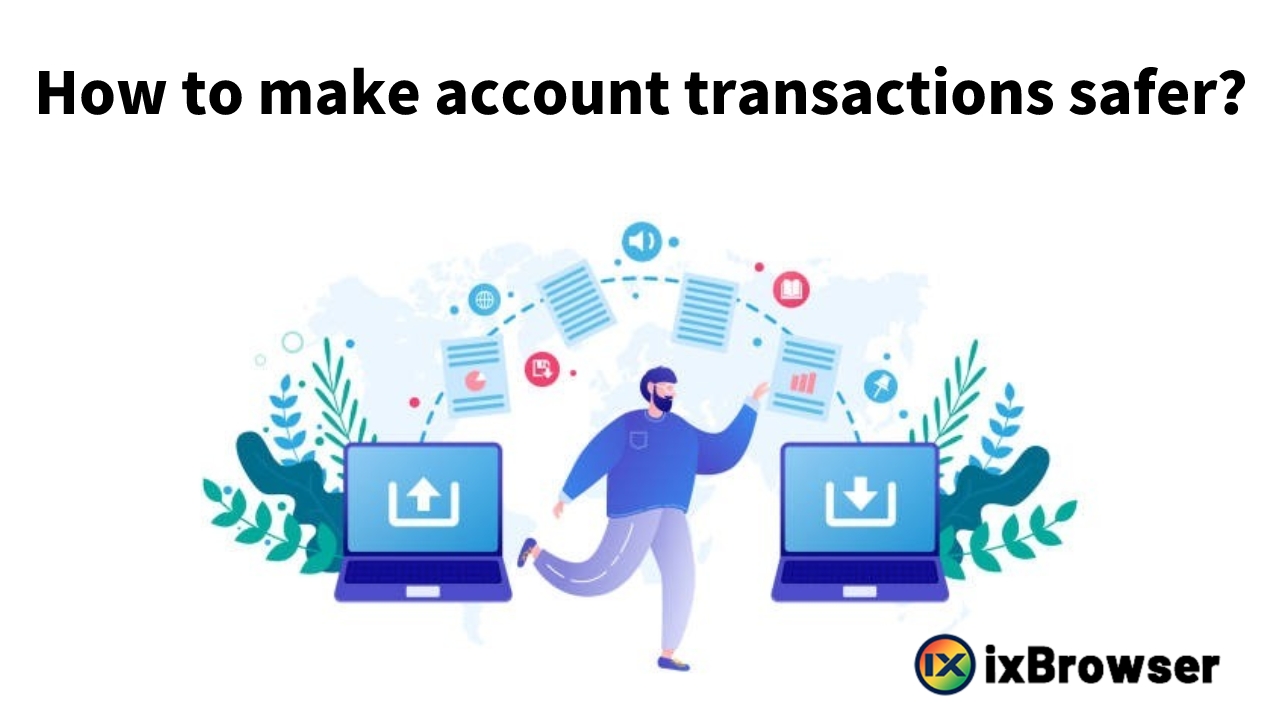
We all know that most websites and platforms on the market do not allow users to hold multiple accounts, but this is obviously against the user's wishes. For e-commerce sellers, multiple accounts mean they can list more different products, attract more users and earn more profits. For social media marketers, multiple accounts mean higher user reach, views and fans. However, registering multiple accounts is a time-consuming and labor-intensive task. Therefore, many people turn their attention to account trading. Take Facebook as an example. As long as we enter "buy facebook" in Google search, we can find the word "buy Facebook account" in the list of related long-tail words below. And in the search results, we can find a large number of websites selling different types of Facebook accounts. When users purchase and receive accounts, they will find that the survival rate of these accounts may not be as high as imagined. Why did it happen? In addition to the low quality of accounts sold by sellers, there are also the following reasons that may lead to a lower account survival rate: 1.Account banned due to improper user operation; 2.Account ban due to changes in account environment; Account banned due to improper user operation There are actually many branches about this factor. Part of this may be because the user has performed illegal operations after obtaining the account, or has prematurely started commercial activities with the new account purchased, resulting in the account being banned. These subjective problems can actually be avoided as long as users pay a little attention. Another part of the problem may be that the user did not assign the profiles with independent fingerprints and the proxies to the accounts after obtaining the accounts, which results in the system detecting associated risks with these accounts. For this situation, users can solve this problem by using anti-detect browser like ixBrowser, which can help users create unlimited profiles with independent fingerprints for the multiple accounts, and users can add proxies to different profiles as needed to achieve double isolation of fingerprints and proxies. Account ban due to changes in account environment Even if users avoid illegal operations and isolate their accounts, they will still find that some accounts are suspended. This is caused by changes in the account environment and the proxy used. How to further improve the account survival rate? At this time, you need to use the profile transfer function in ixBrowser. ixBrowser allow user transfer their profile, and the proxy binds with the profile to another by using ixBrowser transfer code. In this way, sellers can register and maintain accounts through ixBrowser, and transfer the environment to users intact through the transfer function, ensuring the stability of the account environment to the greatest extent and reducing the risk of account suspension.    
How to use ixBrowser to create a safer and more stable environment for Tinder?

How to use ixBrowser to create a safer and more stable environment for Tinder?

Tinder is a popular online dating application that was initially launched in 2012. It utilizes geolocation features to help users find potential dates nearby. The core mechanism of Tinder is the "swipe" function, where users view other users' profiles, including photos and personal information, and then swipe right to indicate interest or left to pass. When two users mutually swipe right, a "match" is formed, and they can then start private conversations. The user base of Tinder is diverse, encompassing people of various ages and backgrounds. Although initially perceived as a means for finding short-term relationships, many users have also found long-term partners through Tinder. Additionally, Tinder has introduced various paid features such as Tinder Plus and Tinder Gold, offering more advanced options like unlimited swipes, the ability to change location, and seeing who likes your profile. Over time, Tinder has undergone several updates in its interface and functionality to enhance user experience and adapt to the evolving online dating market. Despite competition from other dating apps, Tinder remains one of the most popular and widely used dating applications globally. However, as a popular dating platform, Tinder has a more stringent detection mechanism for account registration. For an account, what kind of environment is considered independent, safe and stable? You might say an independent proxy, a profile with independent fingerprints, an independent registration information, and enough cookies record. Indeed, in normal cases, as we mentioned in our previous blogs, the above conditions are sufficient to create a relatively safe and independent environment. Because for most websites or platforms, the core logic of their detection system revolves around these items which are exactly the aim that most anti-detect browser on the market can achieve. However, during our daily communication with users, we learned that some websites have more stringent requirements for account environments, and Tinder is one of them. In addition to the agents, fingerprints, registration information and cookies we mentioned above, Tinder will also detect IndexedDB and Local Storage. What is IndexedDB and Local Storage? IndexedDB: IndexedDB is a way for you to persistently store data inside a user's browser. Because it lets you create web applications with rich query abilities regardless of network availability, your applications can work both online and offline. Local Storage: localStorage is a property that allows JavaScript sites and apps to save key-value pairs in a web browser with no expiration date. This means the data stored persists even after the user closes the browser or restarts the computer. How does ixBrowser solve this problem? In this case, ixBrowser launched sync IndexedDB and Local Storage function. When cloud backup is turned on, users can enable synchronization of IndexedDB and Local Storage under the preference settings page. With the support of this feature, users can create a more secure and independent environment for their Tinder account, and no longer have to worry about account bans.  
How to add PrivateProxy in ixBrowser

How to add PrivateProxy in ixBrowser

Step 1: Log in to your PrivateProxy.me account. Then click Buy proxies and choose the type of proxy (residential or datacenter proxy, etc.), package, purpose and country; Step 2: After completing the payment go to My Proxies tab and click IPs, which will reveal your proxy list with all the required credentials; Step 3: Download, install, and login to ixBrowser; Step 4: Click "Create Profile" button, in the pop-up page, choose the platform and group, and enter profile info; Step 5: Go to "Proxy Configuration" page, select the Proxy Method to Custom, and enter the proxy info we generated in Step 2, and press Network Detection; Step 6: Once the detection passed, you can click create button and start using the proxy with ixBrowser;  
How too add Goproxy in ixBrowser

How too add Goproxy in ixBrowser

Step 1: Logging into the Goproxy dashboard; Step 2: Click “Get Now” button to go to Pricing page, select the package you want, and follow the guidance to purchase it; Step 3: Then go to “Username:Password Authentication” page, set the info of the proxy and generate; Step 4: Download, install, and login to ixBrowser; Step 5: Click “Create Profile” button, in the pop-up page, choose the platform and group, and enter profile info; Step 6: Go to “Proxy Configuration” page, select the Proxy Method to Custom, and enter the proxy info we generated in Step 3, and press Network Detection; Step 7: Once the detection passed, you can click create button and start using the proxy with ixBrowser;  
The Best Practices of Facebook Account Transactions

The Best Practices of Facebook Account Transactions

Based on the most recent information from Meta, the parent company of Facebook, the global user base of Facebook has reached 3.05 billion as of the third quarter of 2023. And the number of active users is close to 3 billion. Over recent years, Facebook's user count has shown consistent growth. With its position as the foremost platform in social media marketing, Facebook undeniably offers immense opportunities for business expansion and growth. Facebook is no longer a simple social tool for people. It has also become one of the important ways to attract fans, acquire customers, publish advertisements, etc. Whether they are employees of advertising agencies, e-commerce sellers, or other groups in need, a single Facebook account obviously cannot meet their needs. Compared with the time-consuming and laborious process of creating accounts in batches, many people choose to meet their needs for multiple accounts by purchasing accounts. However, during the account transaction process, a situation may occur. The account is obviously running well with the seller, but when you log in after receiving the account, you find that the account has been banned. What causes these problems? What's a good solution? In this article, we will talk about these two questions. What causes Facebook account bans? The answer is Facebook's risk control rules and detection mechanism. There is no doubt that Facebook's advertising effect is good, and it is also the preferred platform for many cross-border e-commerce sellers. However, as more and more people join, Facebook's risk control rules are becoming more and more strict. If you are not careful, you will Facing the risk of account closure. What are Facebook's risk control rules? Facebook Community Standards & User Regulations Rules These rules include not posting malicious content, not using false identities, not harassing other users, and more. If users violate these rules, their accounts may be banned. However, as long as we abide by these rules and operate the account for a period of time to increase the weight of the account, these problems can be easily avoided. Digital Fingerprint Isolation + IP Isolation Facebook does not allow a user to have multiple accounts, so they try to detect correlations between accounts. The two most important ones are environmental (digital fingerprint) detection and IP detection.  Therefore, you need to ensure that the environment and IP of each of your accounts are not marked as risky by Facebook, and these environments and IPs need to be completely independent and stable.  How can we ensure that the account environment and IP are safe and completely independent? The answer is anti-detect browser. Although, this purpose can be achieved by using traditional isolation methods (like VPS or multiple network cable). However, compared to anti-detect browsers, these methods are more expensive, have higher technical requirements, and are less flexible.  Of course, even for anti-detect browsers, most products on the market have higher basic package fees and usage restrictions, which is still a considerable expense. Therefore, as a permanently free fingerprint browser, ixBrowser is your best choice. It not only can generate a completely independent and real fingerprint environment for each of your accounts, but also equipped with a cost-effective proxies so that you can use it directly bind with the profile after purchase, thereby achieving the dual isolation effect of fingerprints and IPs. Profile Transfer Function in ixBrowser ixBrowser does seem to be effective in preventing account association, but as mentioned above, if the user purchases the account from a seller, how to ensure that the purchased account will not be banned due to changes in environment and IP? Don't worry, in the latest version of ixBrowser V1.7.28, we have updated the window transfer function. The birth of this function makes ixBrowser the best tool for account buying and selling transactions. Sellers can use ixBrowser to create independent profiles for each account and configure an independent IPs. After a buyer purchases an account, the seller can transfer the Facebook account to the buyer's ixBrowser account through profile transfer function. At the same time, based on user needs, sellers can also transfer the bound IPs in the profile. Because account information, fingerprint configuration, cookie information, proxy configuration are all transferred together and remain unchanged during the transfer process, account bans caused by changes in the fingerprint environment and IP can be minimized. If you want to get the idea about how to use this function, please check our video: https://youtu.be/BLF6HiCs1fA The window transfer function can not only be used to transfer Facebook accounts, but is also suitable for account transfers on other platforms. If you want to know more about ixBrowser, you can contact our customer service: Telegram: https://t.me/+7WWG4XRaiCxjM2E1 Skype: https://join.skype.com/invite/oPJAzwHCrbtG